Approaches to Multilingual Search in M365
Delivering effective multilingual search in M365 is more complicated than it seems. Do you translate everything first then search, or search then translate, or translate the query? What do M365 search engines already know about languages?
In brief
Multilingual search and cross-language search need different strategies: filtering by language helps users find readable results, while translating content before indexing adds translation and maintenance work. Query translation and hybrid retrieval can help search mixed-language repositories, but choosing between them means accounting for duplicate results, unfamiliar result languages, ambiguous wording, and integration effort.
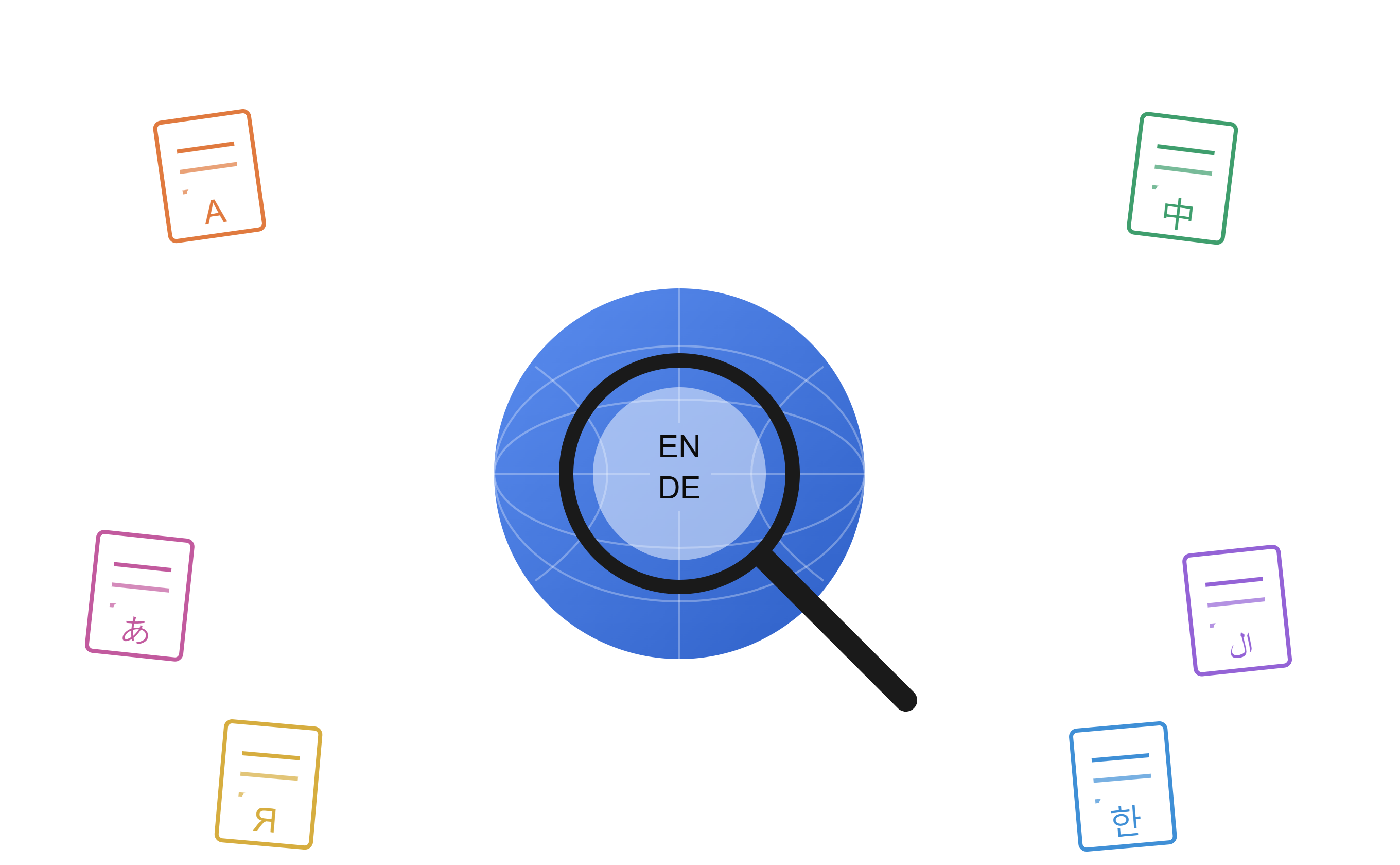
As organizations become increasingly global, employees expect to find information regardless of the language in which it was written. Delivering an effective multilingual search experience requires more than translating content — it requires choosing the right search strategy.
Before you start, three questions are worth considering:
- If search returns documents in languages you don’t understand, is that actually helpful? Will you need a translation layer for the results themselves?
- If a relevant document exists in multiple languages, will it show up multiple times with similar rankings, since duplicate detection doesn’t work across languages?
- Are you solving multilingual search (single-language searches in multiple languages) or cross-language search (one query, results in many languages)? They’re different problems with different solutions.
Every approach below answers those three questions differently. Keep them in mind as you read.
1. Language-Aware Search
Before tackling search across languages, it’s worth checking how well a single search engine handles each language on its own. Does searching in German work as well as searching in English? What about Chinese?
Many search engines, SharePoint included, detect the language of documents and queries (or documents and users), then apply language-specific processing — stemming, lemmatization, stop-word removal, tokenization. This improves keyword matching without requiring translation. The catch: it only works one language at a time.
Pluralization alone shows why. English usually just adds “s” or “es.” German has several different plural endings. Zulu uses a prefix instead of a suffix. Many East Asian and Southeast Asian languages, like Chinese and Thai, have no grammatical plural at all — instead they reduplicate (“child child” means “children”) or specify a number and category (“dog three animals” means three dogs). Ancient Greek and Arabic have separate plural forms depending on whether you mean two, a few, or many. SharePoint’s search engine knows all of this — but only applies it within a single language at a time.
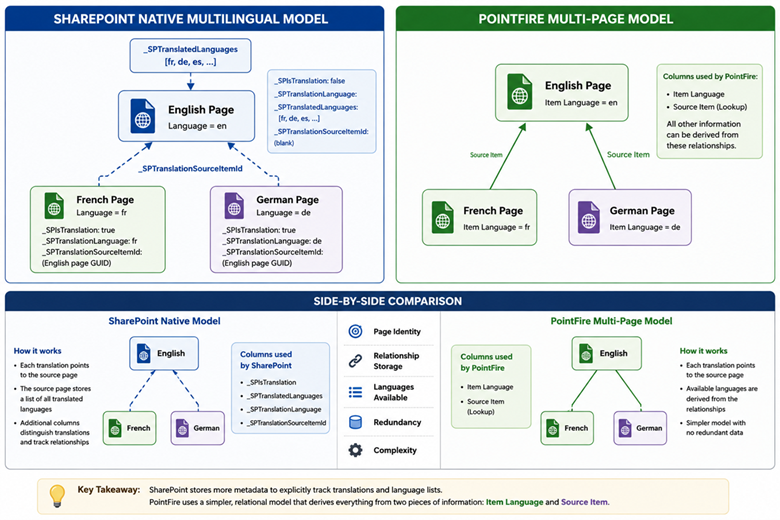
To use single-language search on a multilingual corpus, you have to constrain the target language of the documents — ideally to the language of the query, or failing that, the language of the user. If you’re only searching pages built on SharePoint’s native multilingual page system, Mikael Svenson’s method of using hidden metadata columns will constrain results to a particular language. If you’re using PointFire 365 or PointFire Translator Express, the “Item Language” column applies not just to pages but to documents and list items too.
A more general method is the DetectedLanguage managed property, which is correct roughly 95% of the time.
In SharePoint today: This is built in, but effective use means restricting to one language at a time. With the free PnP Modern Search extension, you can match DetectedLanguage to the desired language. To match the current UI language, start from the token {PageContext.cultureInfo.currentUICultureName} — but note the language codes don’t line up exactly (currentUICultureName might be "en-US", while DetectedLanguage will just be "en"), so you’ll need to map one to the other.
DetectedLanguage isn’t 100% accurate. For native multilingual page-publishing pages with a consistent base language across sites, Mikael Svenson’s method works well. For the more general problem, different page types, documents, list items, etc, with PointFire Translator Express or PointFire 365, you can rely on “Item Language” (en, de, etc.) or “ItemLanguageCalculated” (en-US, de-DE, etc.) instead.
2. Translate Documents Before Indexing
Translate documents into one or more target languages before indexing. Both original and translated versions become searchable, so users can search in their preferred language while the source content is preserved — and combined with language detection, duplicate results are eliminated.
Advantages: high recall and relevance; results available in multiple languages; works well with traditional keyword search.
Considerations: additional storage requirements; translations must be kept in sync as content changes; translation costs scale with content volume.
In SharePoint today: Syntex Document Translation (also known as SharePoint Premium, or Document Processing for Microsoft 365) can translate documents if it’s set up — but it doesn’t handle pages, lists, or document metadata. PointFire Translator Express covers all of that and assigns metadata to better filter by document language.
3. Synonym and Terminology Expansion
Organizations often maintain multilingual synonym dictionaries or taxonomies. A search for “automobile” might also search for “car” or “vehicle” (English synonyms), voiture (French), or coche (Spanish).
For multilingual Managed Metadata, this isn’t necessary — translations are already part of the term sets. But for free text, does expanding the search with translated terms actually help?
In practice, no — this technique gives poor results, for five reasons:
- You’d need to predict every search someone might run and pre-populate a translated synonym list for it.
- You invite “false friends” and false cognates into the search. These are words that get matched incorrectly once you’re searching across more than one language — French coin means “corner” (not the English “coin”), pain means bread, four means oven. Every added foreign-language synonym multiplies the odds of an incorrect match.
- You still get duplicate results across languages, as discussed above.
- Stemming and morphology algorithms break down — they can only commit to one language at a time.
- Synonym replacement works fine for single-word queries but falls apart for phrases and more complex expressions.
In SharePoint today: Possible via the Search Thesaurus feature on-premises; in SharePoint Online, only through Query Rules, which work at small scale. Elio Struyf’s technique for storing synonyms in a list can extend this somewhat.
Twenty years ago, at a different company, I built a product that used the Princeton WordNet lexical database and the LookWAYup multilingual wordnet database to expand and translate queries. The results were disappointing — false friends, false cognates, and accidental morphological variants poisoned the search for multi-word queries until it became nearly useless.
4. Translate the Search Query
Instead of translating every document, translate the query itself into the languages represented in the repository, run each translated version, and combine the results. Translating the whole query tends to beat word-by-word synonym substitution, since it preserves context.
You still face duplicate results across languages, and results in languages the user doesn’t understand — so you may need on-demand machine translation of the returned documents. That raises a real trade-off: is translating documents on demand (with no verification step) better or cheaper than storing translated documents for the next person? Keep storing them long enough and you’ve effectively arrived at Option 2, at which point query translation is no longer necessary.
An alternative: translate the query, then generate a query-based summary of the document in the user’s language. Unlike a full document translation, this is specific to the query’s context and doesn’t need to be stored.
Advantages: less duplicate content; lower storage and maintenance costs; suitable for multilingual repositories.
Considerations: quality depends on machine translation; ambiguous terms may be mistranslated; ranking and de-duplicating across languages is genuinely hard.
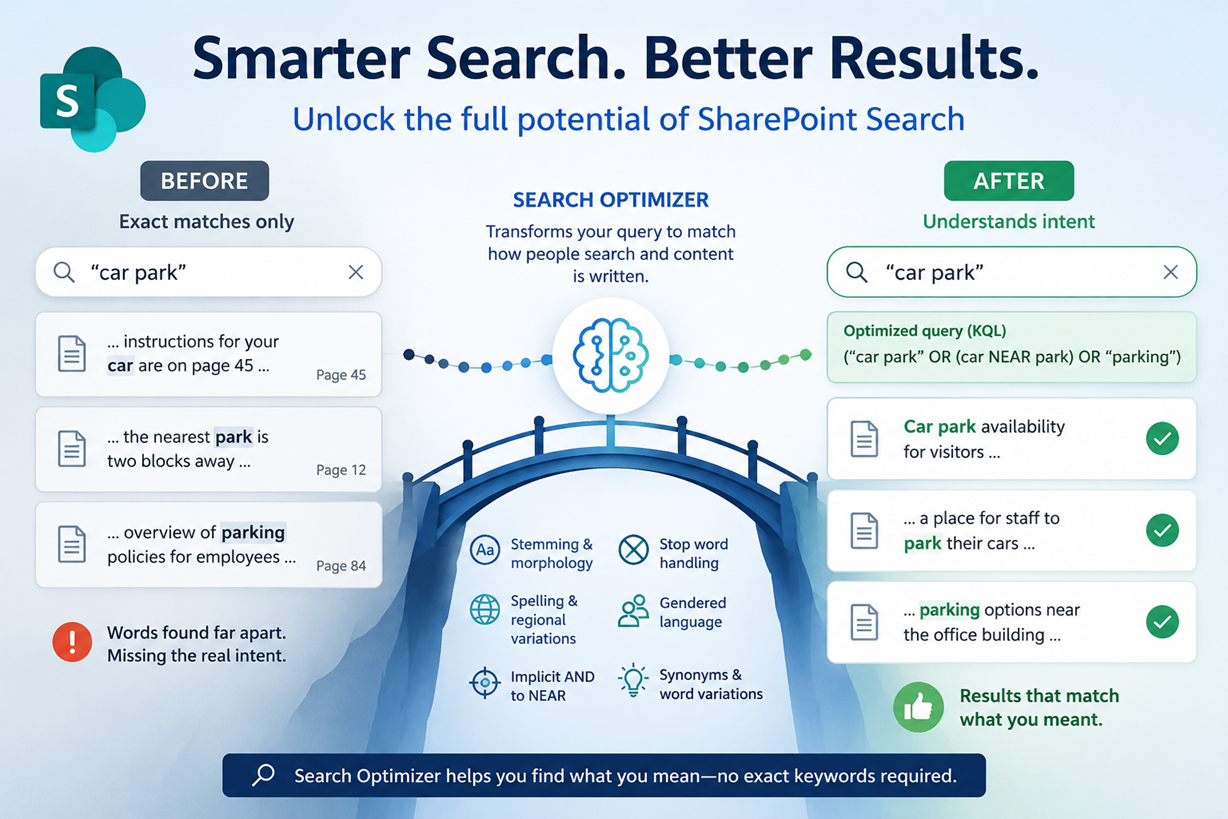
In SharePoint today: Same underlying principle as Option 3, but results improve with query rewriting separated by language — searching for “coin” in English documents and “pièce de monnaie” in French ones, rather than mixing both into a single query. The research version of PointFire Search Optimizer does this across languages using an LLM plus linguistic algorithms to identify correct context; the commercial version trades some of that ambition for more reliable, simpler cross-language query optimization, including cross-language query-based summaries.
5. Cross-Lingual Vector Semantic Search
Modern AI systems represent text from many languages as vectors in a shared semantic space using multilingual embedding models. In theory, you can search in English and retrieve relevant French, Spanish, or German documents even when none of the query terms appear in the text, because the vectors encode meaning rather than keywords. This is one of the components behind Microsoft 365 Copilot.
That’s the theory. In practice, vector embeddings don’t understand meaning — they capture which words tend to occur near each other and which are interchangeable in context. Within a single language, that works well. Across languages in the same family (say, ones that share subject-verb-object structure), a shared embedding can work reasonably well too. But across language families — even with embeddings purpose-built to be multilingual — accuracy drops sharply: roughly 80% within a language family versus 30% across families. It is possible for embeddings to be explicitly trained on cross-language alignment of words and meanings. The OpenAI embedding that is probably used by Copilot is not. Its results in cross-language retrieval are close to random in some languages. If you're using Azure AI Search, you have a choice of several different embedding models. Only one, Cohere-embed-v3-multilingual, has any capability as a cross-lingual model. The best cross-lingual embeddings, the E5 family of models, are not among the options in Microsoft Foundry, surprising since they were developed by Microsoft Research.
In SharePoint today: See Hybrid Search
6. Hybrid Search
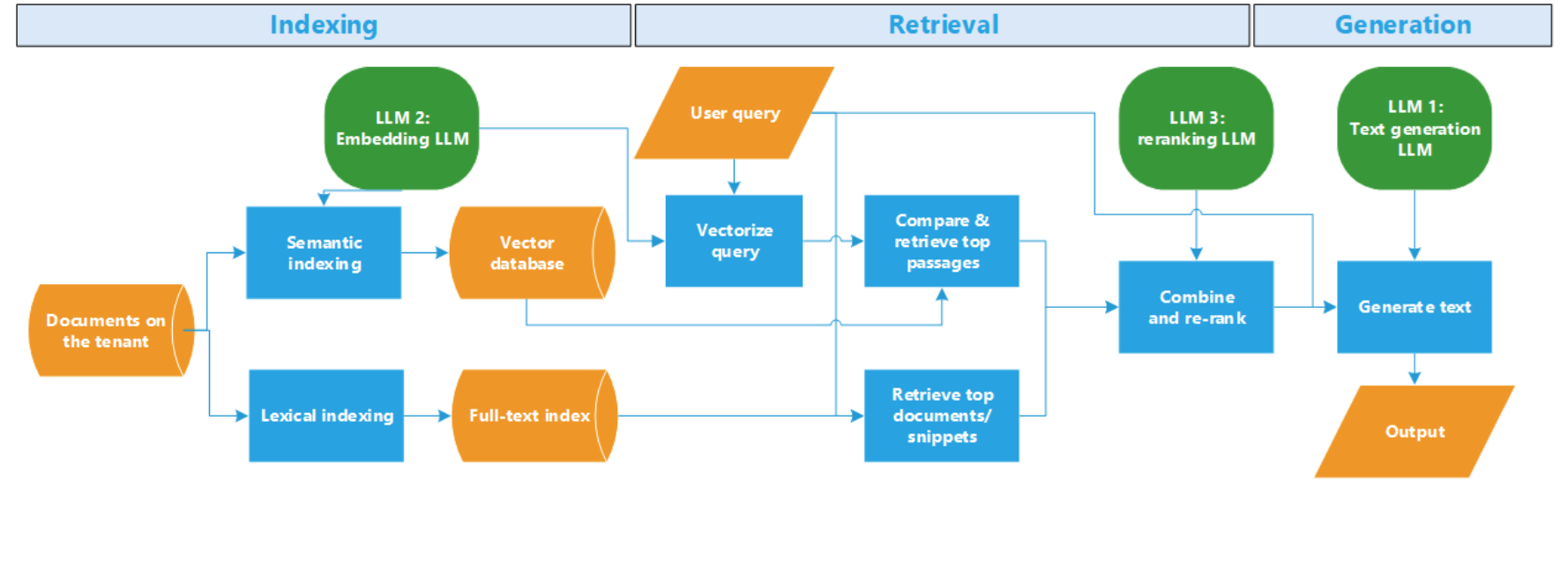
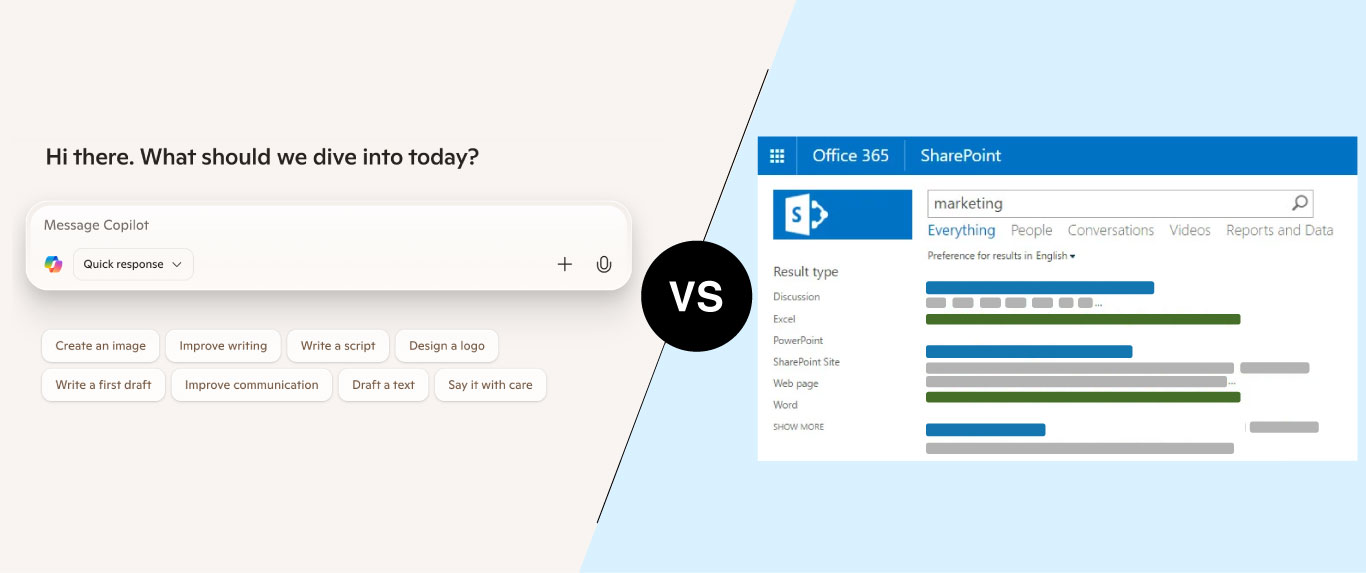
Even within a single language, vector search alone often isn’t accurate or relevant enough, so it’s typically combined with traditional keyword search. This hybrid approach — used by Copilot search and Azure AI Search — beats either method alone. The hard part is combining results (keyword search returns documents; vector search returns “chunks” of a page or so) and ranking the merged set. I go into more detail on that here.
As covered in that post, semantic search draws on several large and small language models — but it isn’t the only path forward. Enhanced keyword search methods now exist that skip semantic search altogether. In fact, for a number of AI tasks, semantic vector search doesn’t add much value, and some Claude models have dropped it in favor of agentic search — repeated cycles of re-querying, where the model sends modified queries and plans multi-step searches based on prior results.
A lighter-weight alternative is single-step query reformulation: adjusting query terms so the scope of the search matches the user’s actual intent, rather than treating every word as something to match exactly. This works across languages too, letting a query in one language get as close as possible to the user’s real intent.
In SharePoint today: Achievable by integrating Azure AI Search with its SharePoint connector, which supports a multilingual, cross-language vector index — and multilingual hybrid search generally. Notably, Copilot uses a vector index but does not do cross-language search, so if that’s a requirement, Azure AI Search is currently the more capable option.
Comparing the Options
| Approach | Solves duplicates? | Results in unfamiliar languages? | Cost profile | SharePoint maturity |
|---|---|---|---|---|
| 1. Language-Aware Search | N/A (single language only) | No — user only sees their language | Low | Native, well-supported |
| 2. Translate Before Indexing | Yes | No — translated version returned | High upfront, ongoing sync cost | Partial (Syntex / PointFire) |
| 3. Synonym Expansion | No | Yes — often poorly | Low but low-quality | Limited (Query Rules only) |
| 4. Translate the Query | No (unless cached) | Yes, needs on-demand translation | Pay-as-you-go, unpredictable | Requires 3rd-party (PointFire) |
| 5. Cross-Lingual Vector Search | No | Yes | Moderate (infra + accuracy risk) | Requires Azure AI Search |
| 6. Hybrid Search | No | Yes | Moderate–high | Requires Azure AI Search |
Choosing the Right Approach
There’s no single best solution for multilingual search. The simplest, most comprehensive fix is to translate everything you want searchable into every language you support — at that point you’re doing multilingual search, not cross-language search. This sidesteps on-the-fly query and document translation entirely, along with the uncertainty that comes with it, and swaps an unknown ongoing cost for a known upfront one. That cost may be lower than you’d expect — translating the 1300 page War and Peace, for instance, could run as little as $20.
As a rough guide: if your content and language set are both bounded, pre-translation (Option 2) is usually worth the upfront cost. If you’re already invested in Azure AI Search, hybrid search (Option 6) with a multiliingual embedding is close to a drop-in upgrade. If you’re stuck on native SharePoint with a single dominant language, language-aware search (Option 1) may be all you need.
Traditional translation-based approaches remain effective for many organizations, while AI-powered vector search and hybrid retrieval are making cross-language discovery more natural — at the cost of real integration effort. Give it enough time and AI may well close the gap on multilingual search outright; early signs of that are already showing up in third-party tools. But the technology isn’t quite there yet.
Make multilingual SharePoint easier.
Try PointFire in your own SharePoint environment and see how it works for your team.