SharePoint HTML Pages and AI-generated Dashboards Have Multilingual Challenges, and Here is a Solution
Microsoft is introducing a new way to create and publish content in SharePoint: HTML pages. Users can create HTML pages with Copilot or upload existing HTML files, but three challengesstand in the way of making them available in multiple languages.
In brief
SharePoint’s new HTML pages and dashboards introduce multilingual gaps: missing language-based redirection, limited translation support, and dashboard text embedded in JavaScript. PointFire is extending its products to address these gaps through language-aware routing, HTML-page translation, and translation-ready dashboard generation.
Microsoft is introducing a new way to create and publish content in SharePoint: HTML pages. As announced in Message Center notification MC1479517, users can create HTML pages with Copilot or upload existing HTML files, edit their content, and publish them alongside traditional SharePoint pages.
For organizations operating in multiple languages, this new capability raises an important question: How will we keep these new pages available in every required language?
Three gaps require attention: HTML pages and dashboards do not participate in SharePoint’s native language redirection; document translation does not cover HTML pages; and dashboard text embedded in JavaScript cannot be translated safely as ordinary HTML. PointFire is addressing each gap through redirection, HTML-page translation, and translation-ready dashboard generation.
A new way to publish content
HTML pages expand the possibilities for SharePoint publishing. Authors can use Copilot to generate a visually appealing page from a prompt, or bring existing HTML content into SharePoint. Pages can include formatted text, charts, interactive elements, and other rich content, and dynamically load data from your site.
Not every HTML page will be created by AI. Developers, designers, business applications, and external content-management processes can all produce HTML that an organization wants to publish in SharePoint.
Unfortunately, multilingual functionality is not part of this new page-creation experience. SharePoint also introduces new obstacles that make these pages harder to translate, to associate with language variants, and to deliver automatically according to each reader's language preference.
Redirection is not there
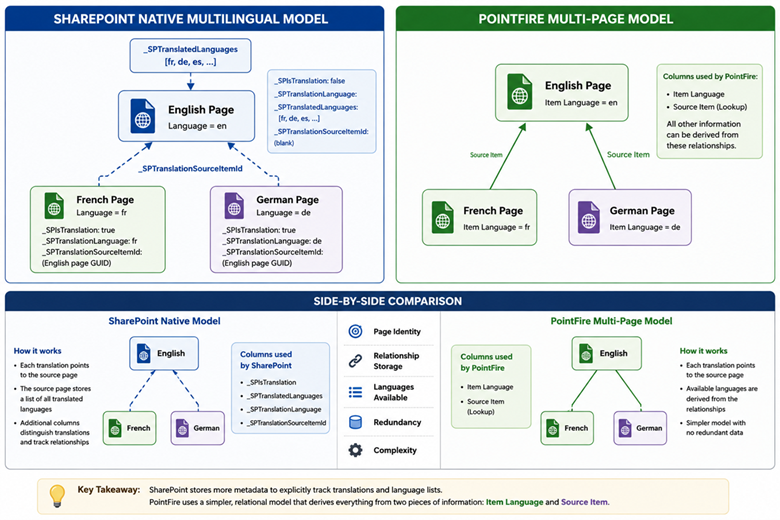
For major SharePoint Online page types, the native Multilingual Page Publishing feature creates linked language copies and displays a published translation according to the user's preferred language. HTML pages and dashboards may sit in the Site Pages library, but they do not participate in that same language-association and redirection model.
The result is more than an inconvenience for authors. An organization can create separate English, French, or other language files, but SharePoint does not record them as linked variants of one page. Without that relationship, SharePoint cannot direct readers to the version of the page in the appropriate language. Organizations must therefore build and maintain their own routing logic, while governing an expanding set of URLs and language relationships.
Syntex is not available
SharePoint's document translation service can create translated copies of supported files in a document library, either on demand or through rules. That workflow is designed for supported document formats and has its own requirements and limitations. However when you put those HTML pages in the page library to take advantage of the new functionality, they are no longer supported input for the built-in document translation.
Consequently, storing an HTML page in Site Pages does not make it eligible for the same translation workflow used for Word, PowerPoint, PDF, and other supported documents. Renaming a translated copy or placing it beside the original also does not establish the page-language relationship needed for automatic redirection. Organizations need a separate process to extract translatable content, preserve markup and embedded behavior, create the localized files, and keep them synchronized after updates.
Dashboards store text in JavaScript
Dashboards present a different technical problem because visible wording may be stored in configuration objects or JavaScript that generates cards, labels, filters, tooltips, and messages at runtime. Azure AI Translator can translate HTML text, but it does not translate strings inside scripts. Any process designed for ordinary page text will therefore miss some dashboard content, while broad search-and-replace operations could alter code, identifiers, or data instead of language.
For custom HTML dashboards, publishers therefore need a localization architecture: isolate user-facing strings from code, assign stable keys, load the correct language resources, and test interactive states in every supported language. Without that discipline, translations are fragile and every dashboard update can reintroduce untranslated text.
What PointFire is doing
- Redirection by Language
PointFire 365 will support redirection for HTML pages and dashboards so that two users following the same link can each receive the page in their own preferred language. This extends PointFire 365’s existing support for SharePoint’s native page-redirection model and for PointFire's 365 own multi-page model, which uses more consistent metadata and already redirects some page content types that SharePoint’s native model does not support.
- Translation
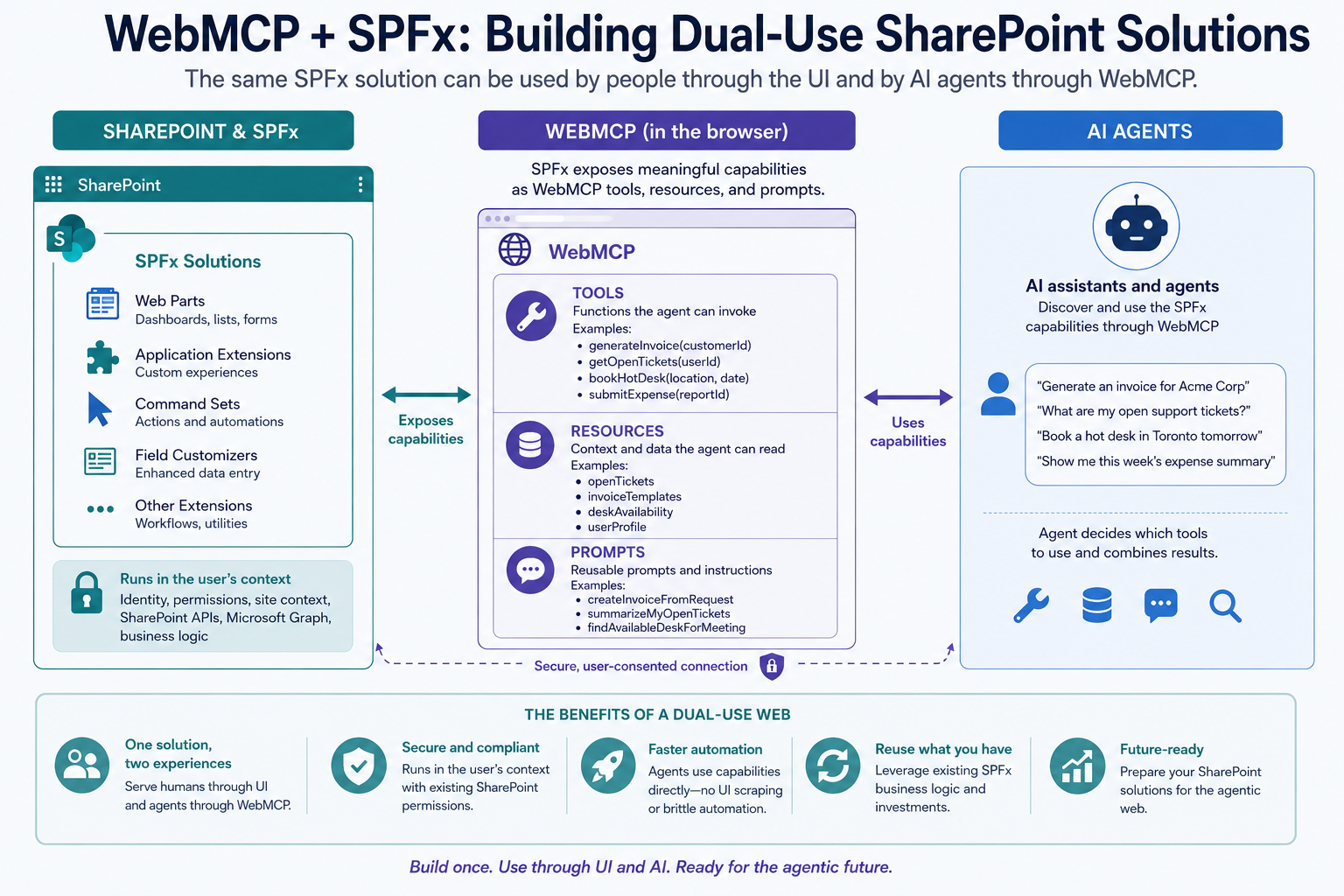
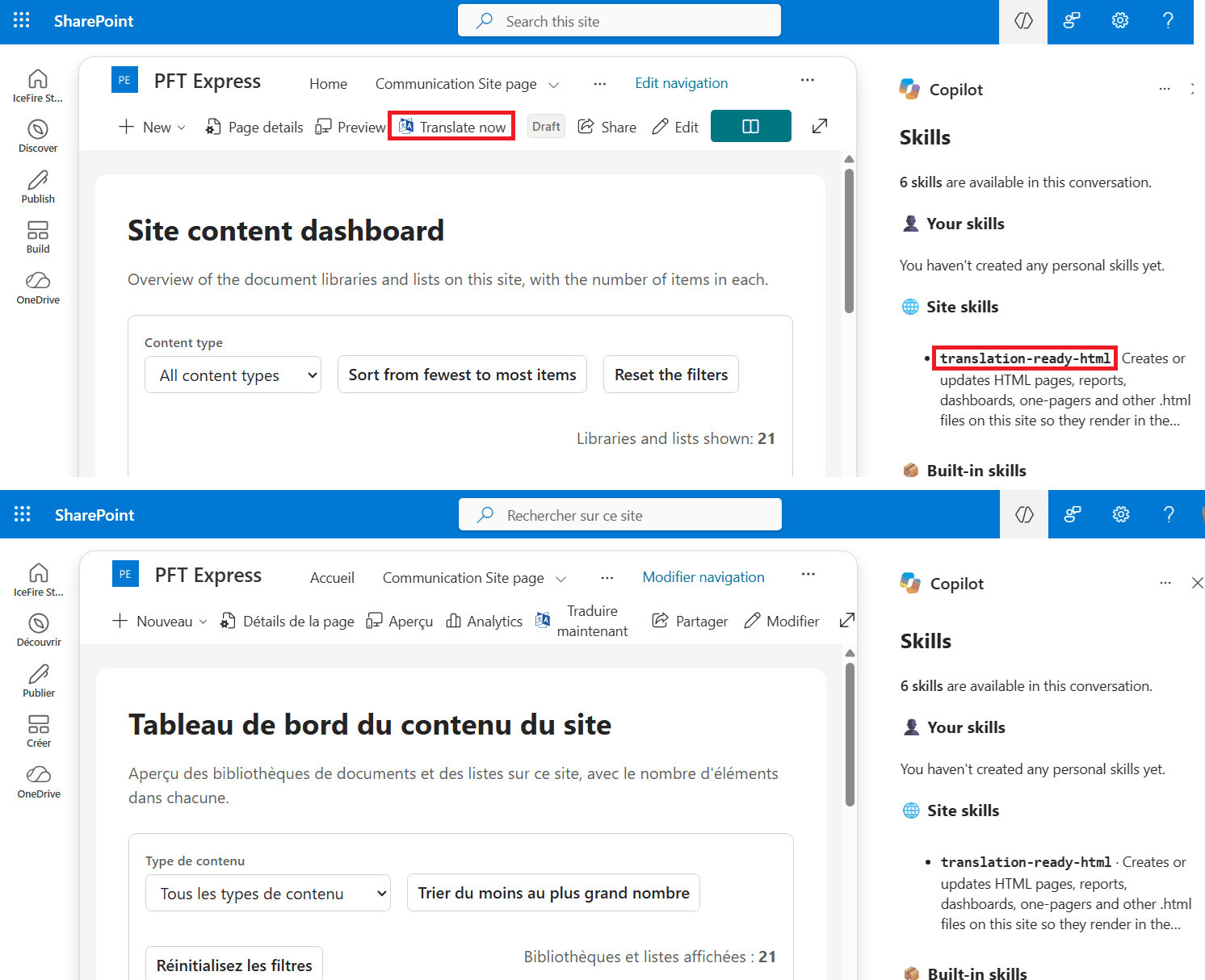
PointFire Translator Express already translates HTML files and their metadata when they are stored in a document library. That capability is being extended to HTML pages in the Site Pages library, where the page model and publishing workflow differ. Authors will be able to use the PointFire “Translate now” command from within an HTML page or from the Site Pages library after selecting one or more HTML pages, just as they do for site pages and news posts. PointFire's WebMCP and PointFire skills will also be updated so agents can translate these pages with PointFire.
- Dashboard page generation
For dashboards, the work must go further. PointFire Translator Express can translate text in the HTML, but it cannot safely edit user-facing strings embedded in JavaScript. PointFire has therefore identified the skills that SharePoint uses to generate these pages and is extending that generation process so Copilot and other AI engines can generate these pages in a translation-ready structure rather than the way that it does it now.
In the meantime
HTML pages and Copilot-generated dashboards and reports bring us back to the days when SharePoint Online had no solution for multilingual pages. Do not assume that just because the new HTML pages are in the page library, SharePoint has multilingual solution for them. It doesn't. PointFire provides such a solution, which addresses all of the gaps. Without it, if your organization uses more than one language, you are unable to use these new SharePoint capabilities because they cannot be made multilingual.
These capabilities will build on PointFire's existing products for translating SharePoint pages and documents, using Azure translation services in the customer's environment and allowing translated content to be reviewed before publication.
Make multilingual SharePoint easier.
Try PointFire in your own SharePoint environment and see how it works for your team.